
Download S Wallet – mobile wallet, NFC payments, Samsung Wallet, prepaid card top-up, smartwatch payment, secure payments, digital wallet, Turkey, Samsung devices
Overview
S Wallet is a mobile wallet application developed by Samsung Electronics Türkiye, designed specifically for Samsung device users in Turkey. The software enables users to make contactless payments using NFC technology, streamlining transactions for everyday purchases. It serves as a digital wallet solution that supports the top-up of prepaid cards through various payment methods, including credit and debit cards, as well as access to over 7,000 ATMs and more than 1,000 bank branches nationwide. This makes it a practical tool for users seeking a convenient alternative to physical cards and cash.
The app is tailored for Samsung smartphone and wearable users, offering seamless integration with devices running Wear OS. This allows for quick and secure payments directly from compatible smartwatches, enhancing user mobility and convenience. The application is particularly useful for individuals who rely on Samsung ecosystems and want a unified payment experience across their devices. Its focus on NFC-based transactions and financial accessibility positions it as a relevant tool for both urban and suburban users across Turkey.
The developer did not provide additional details about the company’s broader product portfolio or global reach. However, the app’s localized functionality suggests a strong emphasis on regional financial infrastructure. The software is available as a free download, making it accessible to a wide audience seeking a secure and efficient payment method.
Key Features & Capabilities
- NFC-Powered Payments: Enables contactless transactions at supported terminals using near-field communication technology, reducing the need for physical cards or cash.
- Prepaid Card Top-Up: Allows users to replenish prepaid cards through multiple payment methods, including credit and debit cards, providing flexibility in managing digital funds.
- Extensive ATM and Bank Network Access: Offers connectivity to over 7,000 ATMs and more than 1,000 bank branches across Turkey, enhancing physical access to financial services.
- Smartwatch Integration: Synchronizes with Wear OS-compatible Samsung smartwatches, enabling payments directly from the wrist with automatic login across devices.
- Secure Transaction Environment: Leverages Samsung’s established security framework to protect user data during transactions, ensuring a safe digital wallet experience.
These features collectively support a frictionless financial workflow. For example, users can top up their prepaid card at a local ATM via the app, then use their smartwatch to pay for a coffee without pulling out their phone. The integration ensures that login credentials and payment data remain consistent across devices, reducing setup time and improving usability.
User Interface, Workflow & Performance
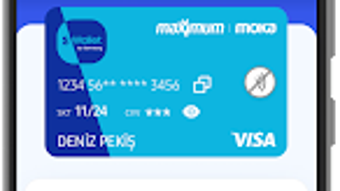
The user interface of S Wallet appears to be designed with simplicity and accessibility in mind, featuring intuitive navigation and a clean layout optimized for mobile use. Users can access core functions—such as card top-up, transaction history, and payment settings—through clearly labeled menus. The workflow is streamlined, allowing users to complete actions like adding funds or initiating a payment in just a few taps.
Navigation between the mobile app and its wearable counterpart is seamless, with synchronized sessions that eliminate the need for repeated logins. This enhances the overall user experience, particularly for those who frequently switch between devices. The app’s performance is expected to align with standard mobile application behavior, though exact resource usage details were not specified.
The developer did not provide information on CPU or RAM consumption, nor did they share performance benchmarks. Stability and responsiveness are assumed to be consistent with typical Android applications of similar scope. General software behavior patterns suggest reliable operation under normal conditions, but real-world performance may vary based on device model and network conditions.
Compatibility & System Requirements
S Wallet is available exclusively for Android devices, with a current version of 3.1.0 and an installation size of 14.8 MB. The software is designed to run on Samsung devices, suggesting a focus on compatibility with Samsung’s hardware and software ecosystem. This includes devices that support NFC functionality and Wear OS for smartwatch integration.
Platform compatibility information is limited to Android, with no details provided about specific device models or minimum OS versions. The developer did not specify exact system requirements, such as RAM, processor, or storage capacity. As such, users should ensure their device meets standard Android app requirements for optimal performance.
Compatibility with older Android versions or non-Samsung devices was not confirmed. Users are advised to verify their device’s NFC support and operating system version before installation. The software’s reliance on Samsung’s ecosystem indicates it may not function as intended on third-party devices.
Pros and Cons
Pros
- Free to download and use, making it accessible to a broad user base.
- Seamless integration with Samsung devices and Wear OS smartwatches.
- Supports multiple payment methods for prepaid card top-ups.
- Extensive network of ATMs and bank branches across Turkey.
- Secure NFC-based transactions with Samsung’s trusted infrastructure.
Cons
- Available only on Android, limiting access for iOS users.
- Exclusive to Samsung devices, reducing compatibility with other brands.
- Exact system requirements were not listed, which may cause installation uncertainty.
- Functionality may be restricted in regions outside Turkey.
- Dependence on Samsung’s ecosystem may limit flexibility for non-Samsung users.
FAQ Section
Is S Wallet available for iOS devices?
S Wallet is currently only available for Android devices. There is no official version for iOS at this time.
Can I use S Wallet without a Samsung phone?
The app is designed for Samsung devices and may not function properly on non-Samsung Android phones. Specific compatibility details were not provided.
Is S Wallet safe to use?
The app leverages Samsung’s established security protocols to protect user data and transactions. It is designed to provide secure payments using NFC technology.
How often does S Wallet receive updates?
Regular updates are likely to maintain functionality and security, but the update frequency was not specified by the developer.
Can I use S Wallet offline?
While basic navigation may be available offline, payment functions require an active internet connection for transaction processing.
Final Thoughts + CTA
S Wallet offers a focused and convenient solution for Samsung users in Turkey seeking a secure, NFC-powered digital wallet. Its integration with Wear OS smartwatches and access to a wide network of ATMs and bank branches enhance its practicality. The app’s free model and streamlined interface make it a compelling choice for individuals already invested in the Samsung ecosystem.
While its exclusivity to Android and Samsung devices limits broader accessibility, it delivers a reliable and efficient payment experience within its intended scope. For users in Turkey who own Samsung smartphones and wearables, S Wallet represents a smart, secure, and user-friendly tool for managing digital transactions.
Download S Wallet now







